

How to reset your Personal Bests

Last updated: Aug 19, 2026
516
views

Important: Resetting your Personal Bests is permanent and cannot be reversed. Please make sure you are happy to remove the selected PBs before confirming the reset.
You can reset your Personal Bests (PBs) at any time through the Echelon Member Portal.
- Log in to the Echelon Member Portal:
https://member.echelonfit.com/login - Select Progress.
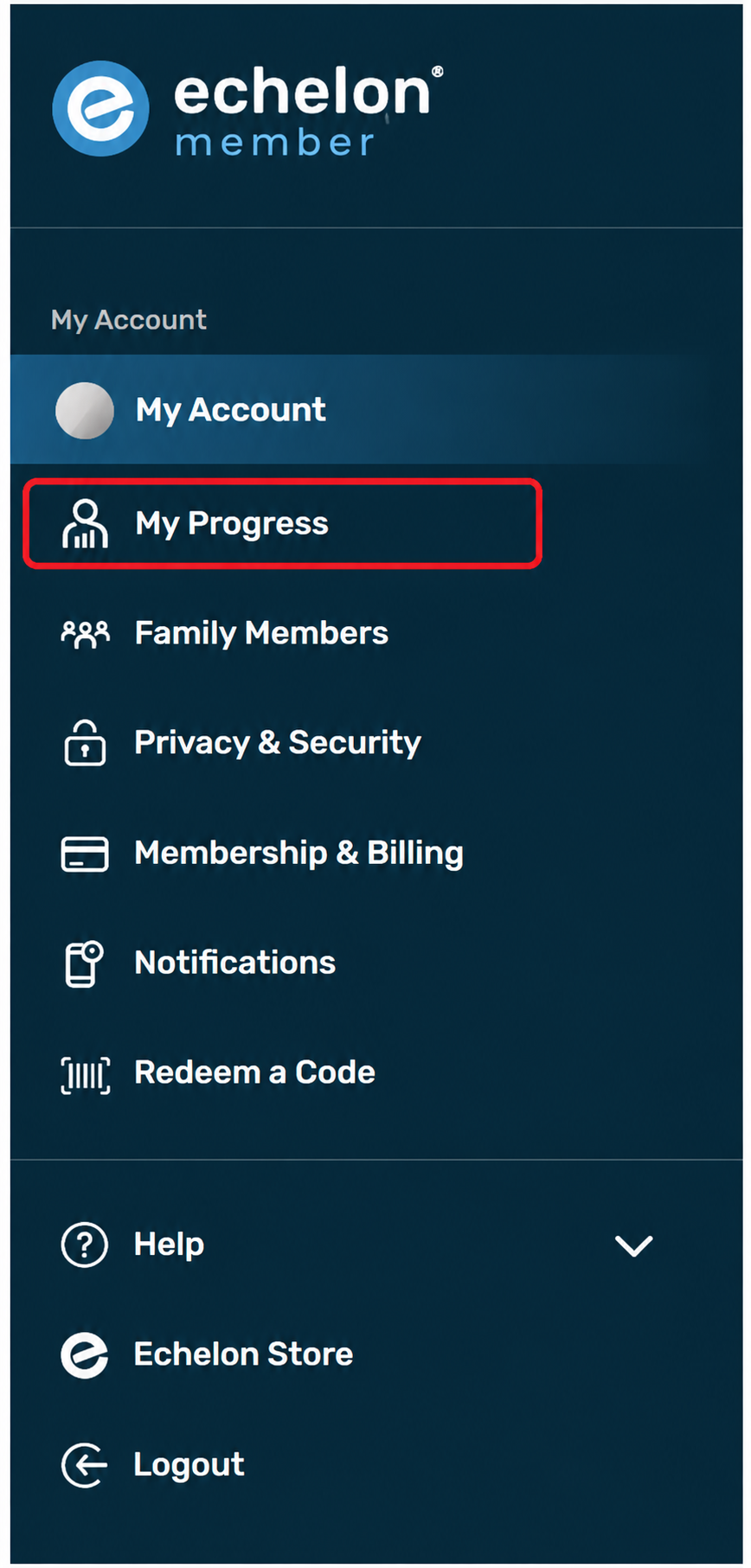
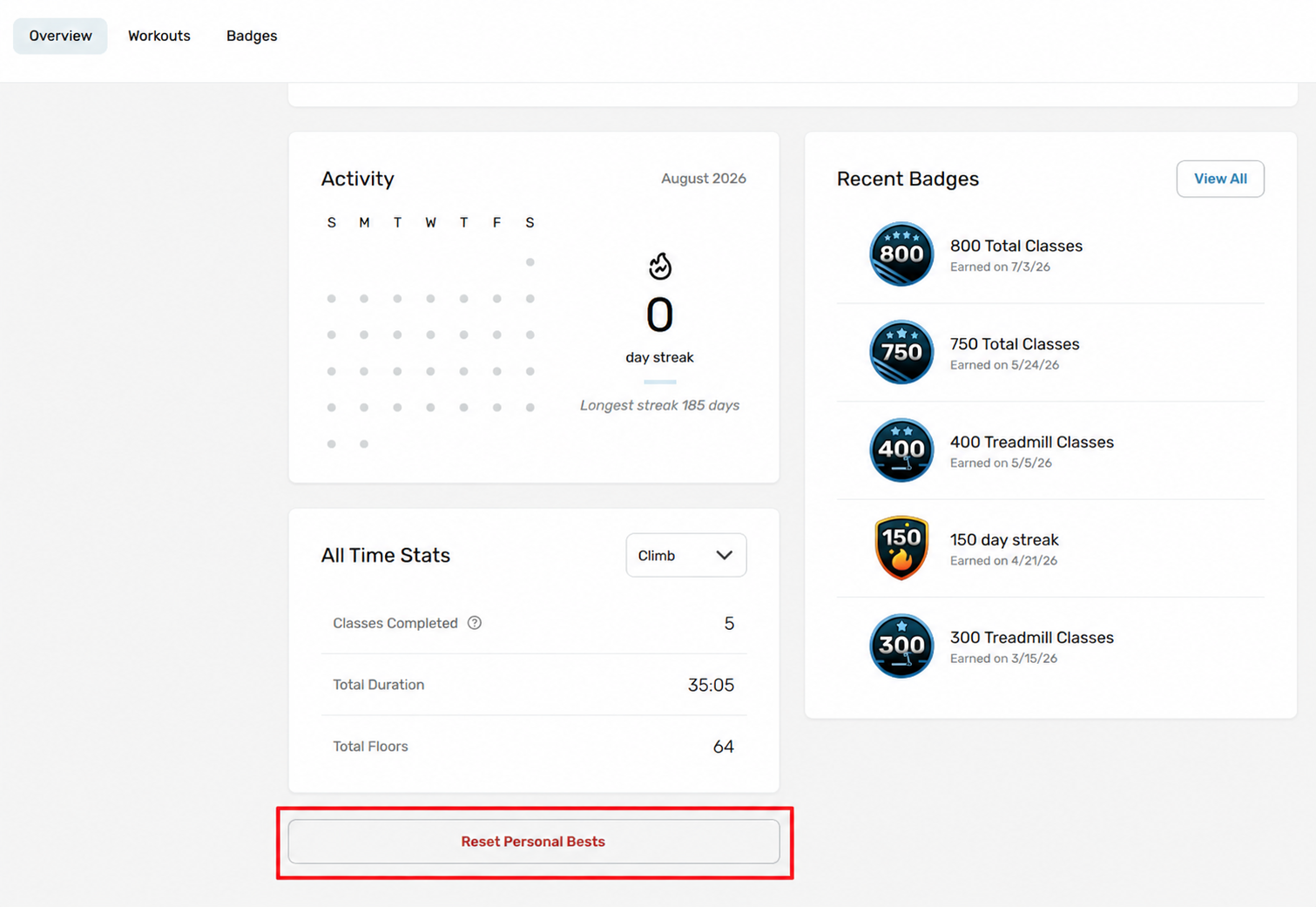
- Scroll to the bottom of the page.
- Select Reset Personal Bests.
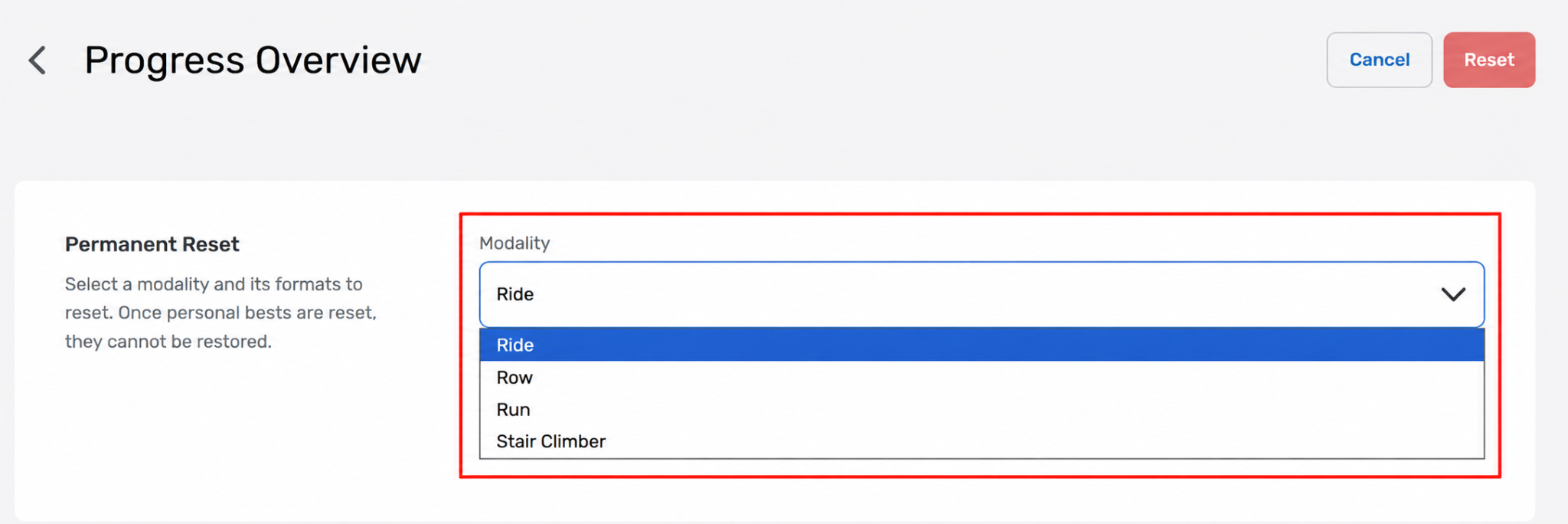
- Select which modality you would like to reset the personal best for
- Choose which Personal Bests you would like to reset.
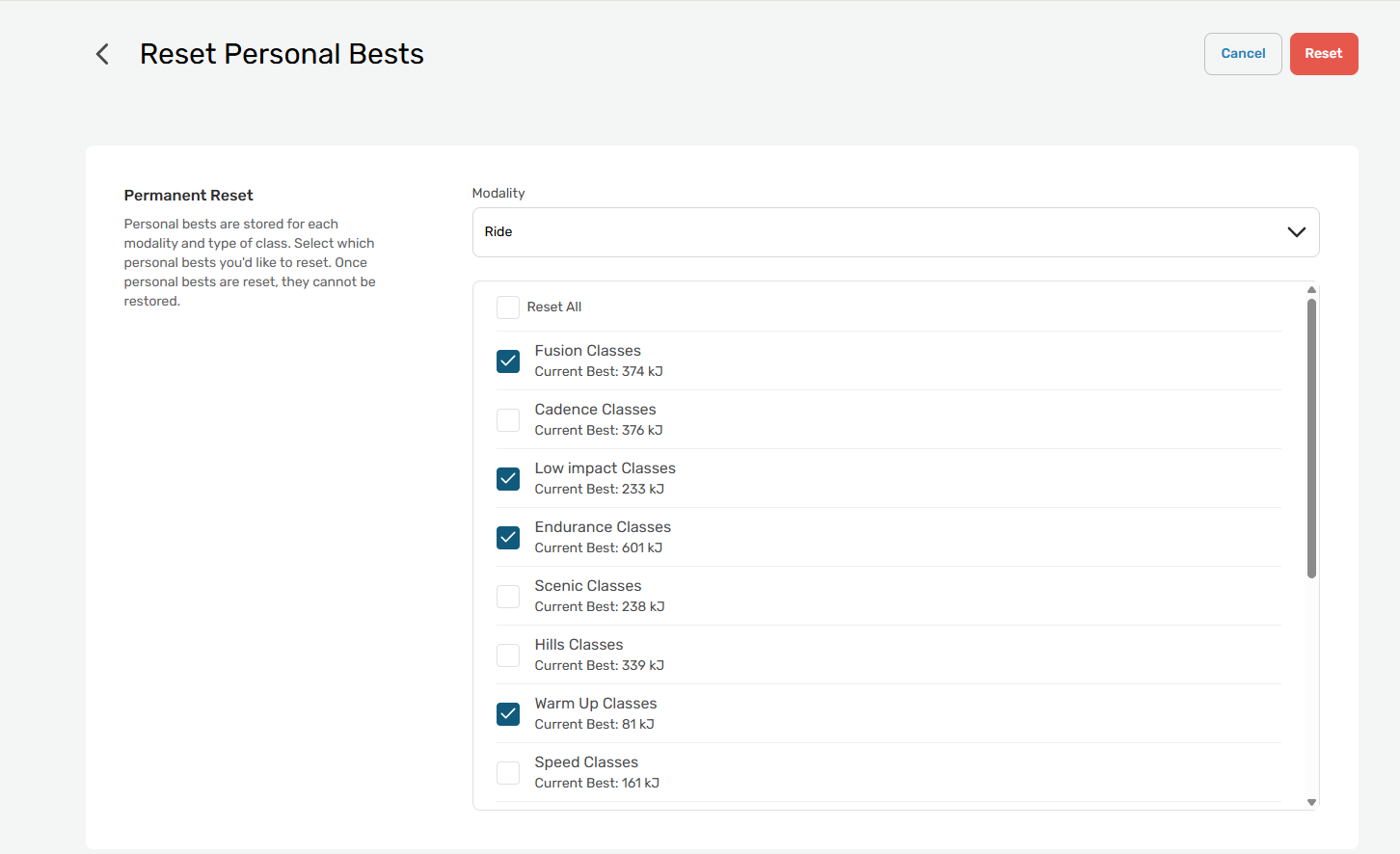
- Click the red Reset button to confirm.
Important: Resetting your Personal Bests is permanent and cannot be reversed. Please make sure you are happy to remove the selected PBs before confirming the reset.
Once reset, your new Personal Bests will be recorded based on your future workouts.

